Every AI product in TaxiCloud has one job on the desk and shows its working, so your dispatchers can check it before they trust it.
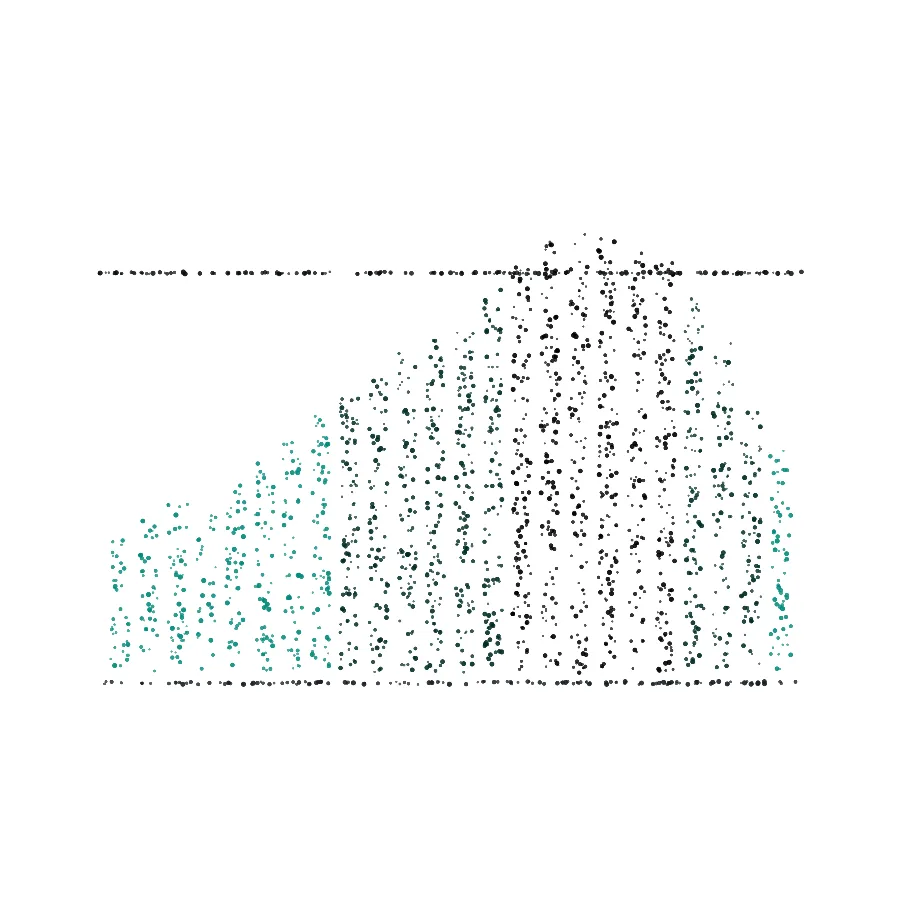
An orb: Marlow, listening for a question.Five rows, best first: the ranked shortlist.Rings of sound: a call coming in.A header, a hero and three columns: a page taking shape.Twenty-four bars: six hours in 15-minute slots.
Marlow knows where everything is.
Ask in plain words, typed or spoken, and Marlow opens the right screen, scrolls to the control and puts the cursor on it. A new dispatcher can find refunds or driver statements on their first shift without hunting through menus.
Marlow · AI assistantIn the console
where are the refndsAsk
I allowed for a spelling slip. Check this is the screen you meant.
Go to Refunds
On the Refunds screen, the list is outlined: Record a refund from a payment in this list.
Marlow's AI helpOnOff
Sample question with a typo. Every reply is Marlow's own wording.
Allows for spelling slips, and says so when it guessed.
Only offers the screens that person's plan and role can open.
When it is unsure, it can ask an AI service to read the question. The account owner can switch that off, and Marlow then answers from its own list.
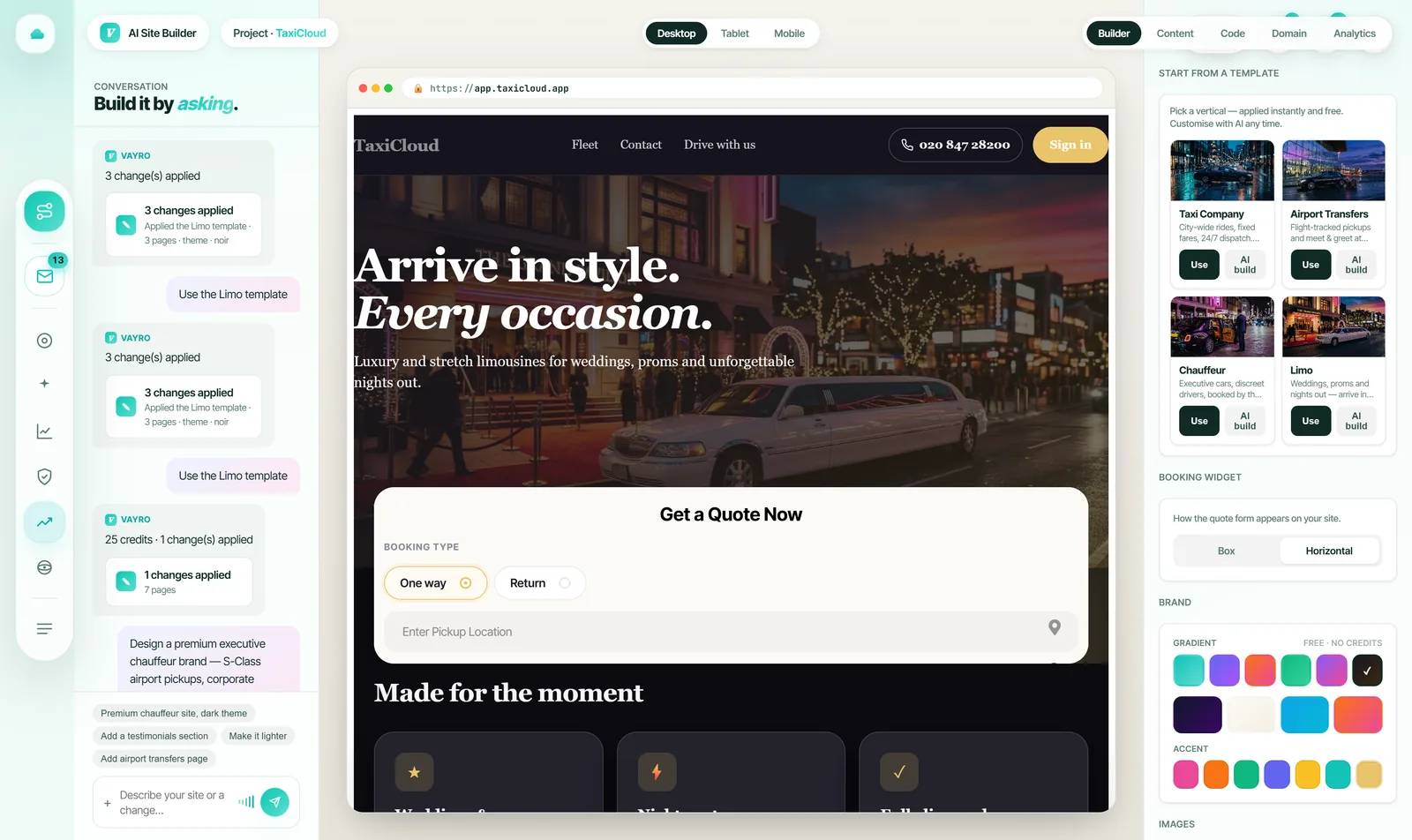
Marlow also writes your booking website in the AI website builder.
Every driver it suggests comes with the reason.
Open a job and Smart assign ranks the drivers who can take it: a match score out of 100, the ETA to the pickup, idle time and trips today, with the engine's reasons underneath. Pencil one in, offer the job, or broadcast it to every eligible driver.
4 min ETA to pickupClose to pickupHigh reliability
#2
81/100
Daniel MossBlue Kia Niro EV LS22 ZEV
7 minETA12 minIdle6Trips
OfferPencil in
7 min ETA to pickupHigh acceptance rate
#3
68/100
Oliver GrantBlack Ford Galaxy LN19 MPV
9 minETA31 minIdle4Trips
OfferPencil in
9 min ETA to pickupElevated late-pickup risk (31%)
Broadcast to all123 pick a rankEsc close
Sample job and drivers. The labels, reasons and warning are the product's own wording.
Dispatch rules, written in plain English
On Pro and above, the AI dispatcher chooses from that ranked shortlist and follows the rules you write. It can only pick a driver from the shortlist. It starts on Suggest + approve, so a dispatcher approves each pick, and when it cannot choose (no credits left, or the AI service is down) the job goes to your top-ranked driver.
Dispatch rules (plain English)
Prefer the nearest driver, but always give wheelchair-accessible jobs to a WAV vehicle. Spread work fairly across the shift.
AI Dispatch Brain · Autonomy modeSuggest + approve
Ranking looks at distance and ETA, acceptance, reliability, idle time, a fair spread of earnings, and risk. A pick the system is unsure about goes to a dispatcher to review. AI dispatch uses AI credits: 500 a month on Pro, 2,000 on Pro Max. With your own AI provider key, dispatch decisions use no credits.
An AI receptionist for your taxi office.
It answers your own phone number, asks the caller where and when, and builds the booking. In Draft mode your dispatcher approves it. In Auto mode a booking the caller confirms goes straight onto the desk, and the caller gets an SMS.
Pro Max · runs on your own Twilio account · set it up during the trial
Your line
Press 1 to book your usual taxi from Paddington Station to The Shard. Press 2 to hear the status of your current booking. Or stay on the line.
Caller
1 presses 1
Your line
You are booking a taxi from Paddington Station to The Shard, leaving as soon as possible. Press 1 to confirm, or press 2 to cancel.
Caller
1 presses 1
Your desk
A new job: Paddington Station to The Shard, as soon as possible, from a caller already on file.
Example call: the places are invented, the words are the product's own prompts.
Regular callers get a keypad menu: 1 rebooks their usual journey, 2 reads out their booking's status, 3 cancels.
Any cancellation fee is read out before the caller confirms.
Venue lines: a hotel or bar gets its own number, and one key press raises a pickup for your dispatcher.
If your office is suspended or on hold, the phone says so and books nothing.
Describe your office. Marlow writes the website.
Write a sentence about your office and the AI website builder creates the pages: home, fleet, airports, accounts, book, contact, blog and privacy. Change anything by chatting, pick a template and colours, then publish on your own domain.
Airport and executive cars in Reading, open 24 hours, with wheelchair-accessible vehicles on request.Writing your copy…
HomeFleetAirportsAccountsBookContactBlogPrivacy
Sample office description. The screen is the builder as it ships.
Home and Book always carry your booking form, which quotes your own prices.
Search engines get a title, a description and your business details from facts you entered, never a rating you did not.
Every revision is kept, so you can go back to an earlier one.
Pro and above, and in every trial · one generation uses 25 AI credits
Load Radar sees the busy hours coming.
It splits the next six hours into 15-minute slots and compares the work booked in each with the drivers you will have. Each slot reads ok, busy or full, so you can call drivers in while there is still time.
Load RadarNext 6 hours, 15-minute slotsFull from 17:15
Now 14:0015:0016:0017:0018:0019:00
okbusyfull
Sample forecast. The dashed line is the drivers you will have.
Pro and above · a forecast from your own bookings and drivers; it changes nothing on its own
What AI could be worth to your fleet.
Put in your own numbers. Every figure starts as an example, so change it to match your office. The AI features can recover missed bookings, free up dispatcher time, keep commission you pay today and cut empty miles. How much depends on your fleet, so the sums below use only what you enter.
Bookings, dispatch, driver and passenger apps, school contracts, partner offices and payments, on one subscription with 0% commission on your fares.
One dispatch desk for the whole shift.
Jobs from the phone, your website, the passenger app and account customers land on one board. Open any row to see the job and what to do next.
JobDuePickup and drop-offPassengerCarStatusFare
Sample jobs. Statuses and actions are the desk's own.
Card payments online through Stripe (cards, Apple Pay and Google Pay) and PayPal, plus payment links.
Account customers billed to their ledger and invoiced.
Driver and vehicle documents (licences, insurance, MOT, DBS, right to work) tracked, with alerts before they expire.
Flight tracking for airport pickups on Pro Max.
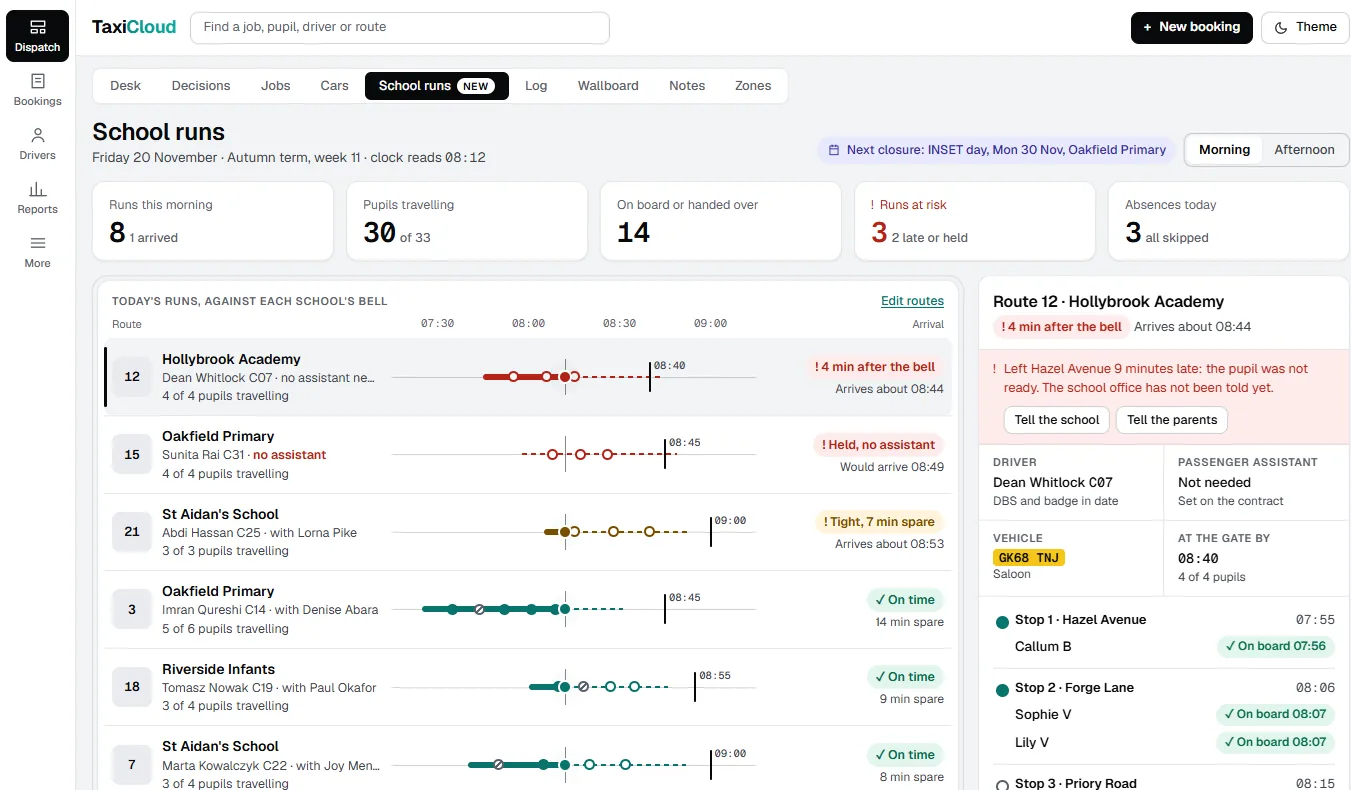
School and SEN runs, with the records kept.
Everything below works today. The School runs tab is coming.
Recurring routes
Contract routes repeat by day and time, and term calendars pause them for holidays and closed days.
Named children at each stop
Each stop lists its children with a guardian's phone. Drivers' apps, Android and iPhone, show the children per stop; drivers not on the job never see them.
A tracking link per child
Guardians get a link with the car and its status, without a map and without any other child.
Passenger assistants on a register
The register holds each assistant's DBS and safeguarding expiry. A job that needs an assistant is held until one is assigned, or a named person waives it.
Names pruned every night
Children's names and guardians' phones are pruned nightly and kept out of error reports.
Coming · early design
The School runs tab: today's runs at every school bell, a statement for the council and absence links for parents.
Every car busy? Orbit passes the job on.
Send a job you cannot cover to approved partner offices. Orbit offers it to one partner at a time, best first, ranked on 90 days of work, and the passenger keeps your branding.
One job, offered to one partner at a time, best first.
Your officeSend to Orbit
From the job's menu, when none of your cars can take it.
Partner AOffered first
The best-scored partner sees it first. No answer, and it moves on.
Partner BAccepted
The partner's driver does the trip. You can pull the job back before then.
Your passengerYour brand throughout
Payment runs through Stripe Connect, paid out to the partner weekly.
Partner names are examples. Hourly jobs are never sent, and a trip already under way stays with you.
Drivers apply on your website. You approve them on your desk.
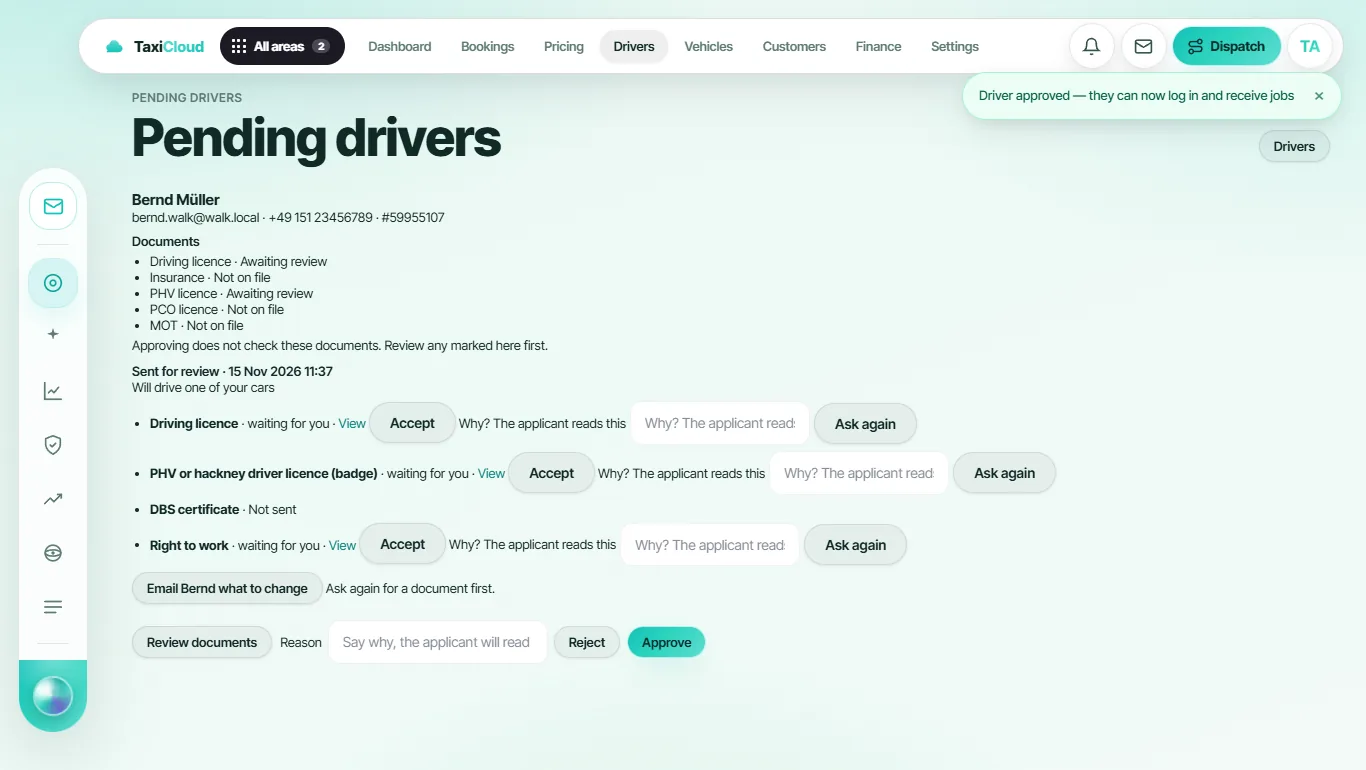
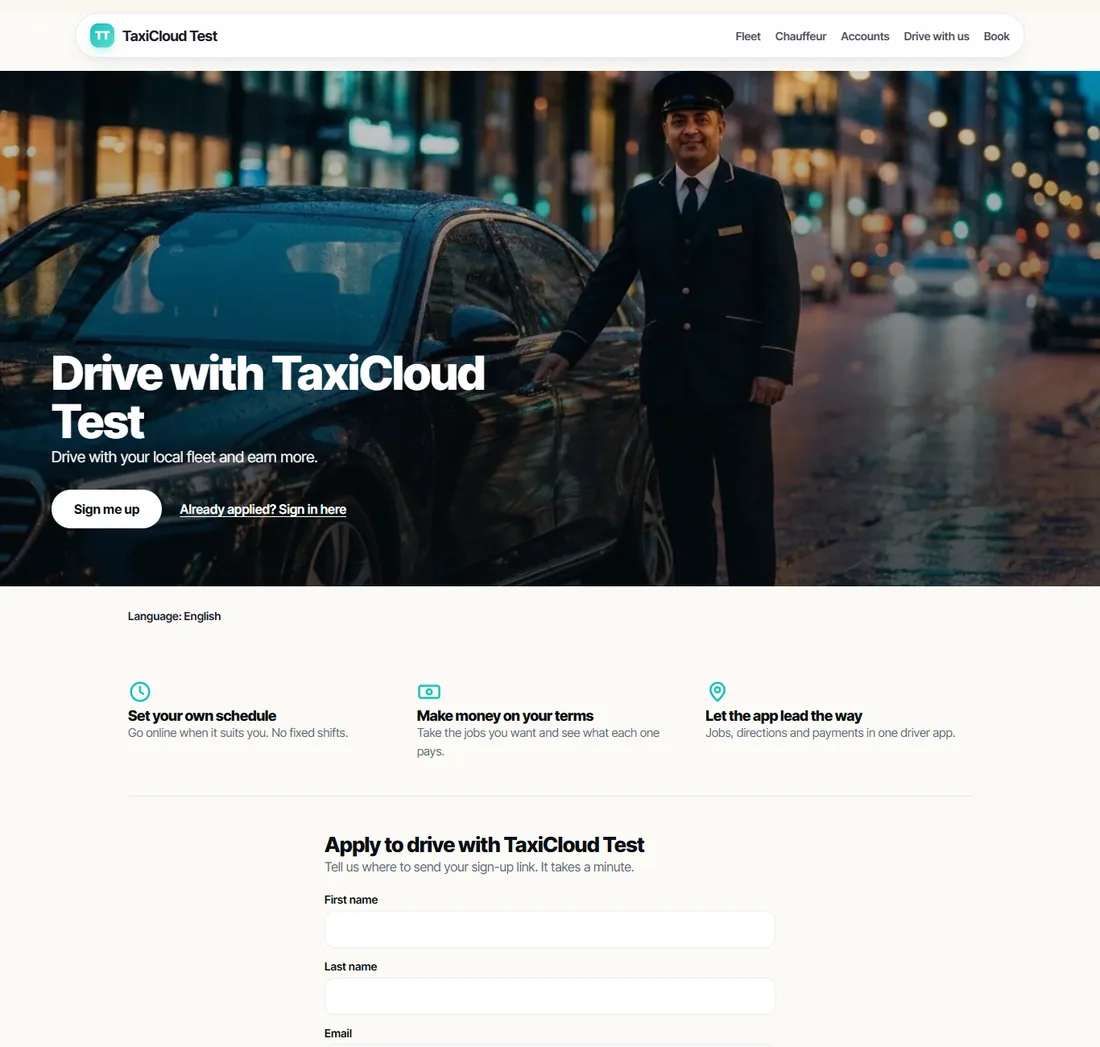
Your TaxiCloud website has a Drive with us page. Applicants send their details, get a sign-up link and upload their documents. You accept each one, or ask again with a reason they can read, then approve. Drag the seam to see both sides of one application.
On your website: the driver appliesOn your desk: you check and approve
They apply
First name, last name, email and mobile on your Drive with us page.
They upload
Driving licence, PHV or hackney licence, DBS, right to work, V5C, MOT and insurance.
You review
Accept each document, or ask again with a reason the applicant reads.
You approve
They sign in to the driver app. Declined applications are deleted after six months.
Apps for your drivers and passengers.
Scan a code with a phone camera, or tap a badge. Both apps are published by TaxiCloud Ltd.
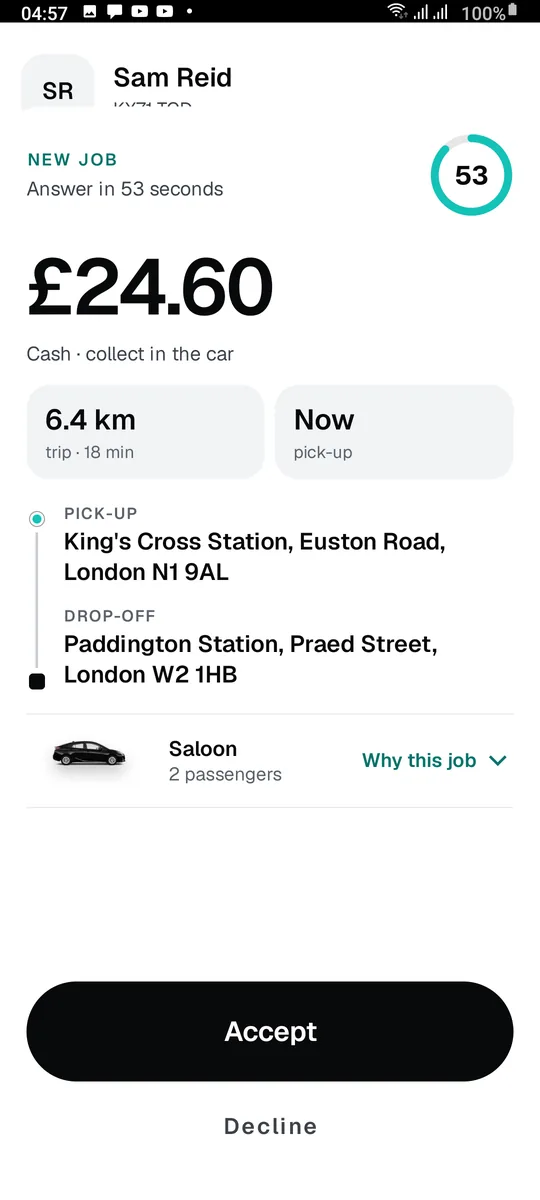
TaxiCloud Driver
The fare, pickup and drop-off before accepting.
One slide per trip stage.
Earnings for today and the week.
Messages with the office, and a warning before a document expires.
QR code
QR code
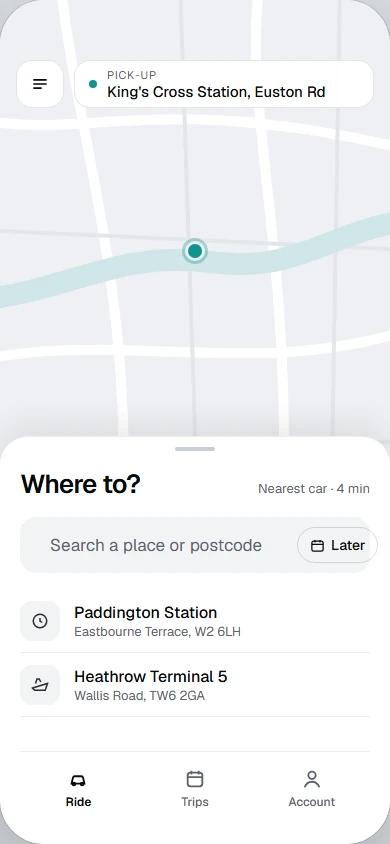
TaxiCloud Passenger App
Pick-up on the map, then "Where to?": search a place or postcode.
Book for now, or tap Later for a set time.
Recent places, one tap away.
Ride, Trips and Account tabs, in a light theme.
QR code
iPhone: coming. Until then, passengers with an iPhone book on your TaxiCloud website, which quotes the same fares.
What TaxiCloud costs.
TaxiCloud costs £49 a month for up to 5 drivers, £149 for up to 25 and £349 for up to 100. Each driver above the limit costs £12, £8 or £5 a month on those plans. More than 100 drivers? Talk to us about Pro Ultra. Every plan starts with a 14-day free trial.
TaxiCloud plans and prices
Feature
StarterSolo operators getting off spreadsheets.
ProGrowing fleets that need a control room.
Pro MaxMulti-base fleets and airport work.
Pro UltraLarge groups, white label, custom integrations.
Your monthly price for 12 drivers
Talk to us
Monthly price
£49
£149
£349
Custom
Drivers included
Up to 5
Up to 25
Up to 100
By agreement
Each extra driver, a month
£12
£8
£5
By agreement
Dispatch desk, booking website, driver app on Android and iPhone
Prices in pounds. No VAT is charged. Paying yearly in pounds costs ten months for twelve (£490, £1,490 or £3,490 a year). During the 14-day free trial every feature is on, with 250 AI credits to share.
0% commissionYou keep every fare. You pay the plan and any extra drivers.
£0 setup feeNothing to pay before the trial ends on day 14.
Moved in 5 to 10 daysOn Pro and above our team imports your drivers, vehicles, customers, prices and past bookings.
How the price compares: published prices, and what customers report paying.
Published prices come from each company's own website, read on 20 November 2026. Where a company does not publish one, its bar shows what its customers have reported paying online, quoted as they wrote it, with the source and the date of the report. Move the slider to your fleet size.
One driver per car assumed: TaxiCloud and Cordic's report price drivers; TaxiCaller, iCabbi's and Autocab's reports price cars. A weekly figure becomes a monthly one by × 52 ÷ 12.
Prices and features as each company's website states them, read 20 November 2026
Published prices and features from each company's public website, read 20 November 2026. Reported prices are quoted as customers wrote them online, on the dates shown; they may have changed and are not the companies' official prices. Check with each provider before you buy. Trademarks belong to their owners.
"Not stated" means the pages read on that date did not say; it does not mean the feature is missing. TaxiCaller publishes its price in euros, excluding VAT, with volume discounts it does not list, so it is shown in euros and never converted. TaxiCloud's figure is the cheapest plan that covers the fleet, and the plans differ in what they include (see the plan table above).
Questions about AI dispatch.
What is AI taxi dispatch software?
Software that takes taxi bookings, decides which driver should get each job and sends it to their phone, with AI doing part of the work. In TaxiCloud the AI ranks the free drivers and gives its reasons, answers the office phone, writes your booking website and helps your team find any screen. Your dispatchers stay in charge of every decision you have not handed over.
Does the AI dispatch jobs without a person?
Only if you set it to. The AI dispatcher starts on Suggest + approve, so a dispatcher approves each driver it picks. An office can let confident picks go out on their own; a pick the system is unsure about still goes to a dispatcher. The AI can only choose from the ranked shortlist, and when it cannot choose, the job goes to your top-ranked driver.
What are AI credits?
AI features that call an AI model use credits. Pro includes 500 a month and Pro Max 2,000, and the 14-day free trial includes 250 to share. One website generation uses 25. With your own AI provider key, dispatch decisions use no credits. If the AI dispatcher runs out, jobs go to your top-ranked driver.
Which plan has the AI receptionist?
Pro Max. It runs on your office's own Twilio account and phone number, so calls are billed by Twilio to you. You can see it and set it up during the 14-day free trial.
What is Marlow?
Marlow is the AI assistant inside the TaxiCloud console. Ask where something is, typed or spoken, and Marlow opens the screen and points to the control. It only offers screens your plan and role can open, and the account owner can switch its AI help off. Marlow also writes your site in the AI website builder.
How does the 14-day free trial work?
Yes, a 14-day free trial with every feature on. We take a card when you sign up, and your chosen plan starts on day 14 unless you cancel before then.
Which currency am I billed in?
Every subscription is charged in pounds today: £49, £149 or £349 a month, and no VAT is charged. The page can show prices in euros, US dollars or Australian dollars as a guide, always with the pounds amount beside them. The card step at sign-up shows the exact amount in pounds before anything is charged. Outside the UK, ask us what tax applies in your country before you subscribe.
Can we move from another dispatch system?
Yes, usually in 5 to 10 days. On Pro and above our team imports your drivers, vehicles, customers, pricing rules and past bookings. On any plan the setup wizard imports drivers from a spreadsheet, a Cordic export included.
Do you take commission or charge a setup fee?
No. TaxiCloud takes 0% commission on your fares and there is no setup fee. You pay the plan price and any extra drivers.
Who is behind TaxiCloud?
TaxiCloud Ltd, registered in England and Wales, company number 17577476. Registered office: 128 City Road, London, EC1V 2NX, United Kingdom. Email [email protected].